Description
Bibliobazar Site Aware Chatbot (WordPress Plugin)
Bibliobazar Site Aware Chatbot is a customer-support chatbot for WordPress that can answer visitor questions,
suggest relevant courses or digital products, and guide customers to the right pages. The chatbot works as a normal
assistant in Free mode, and supports advanced site-aware features when Content Sync is enabled.
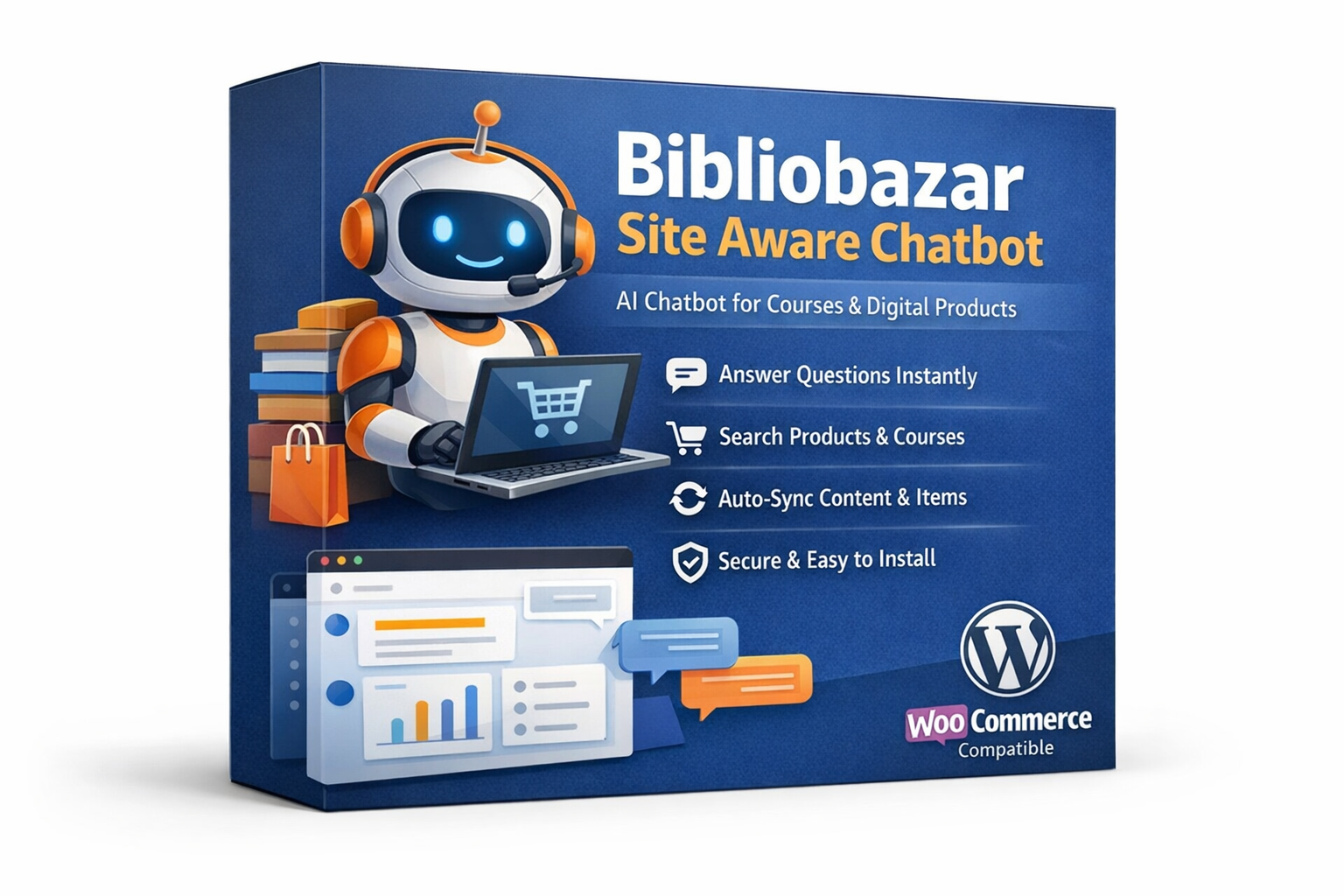
Product Image Overview
The product image presents the plugin as an AI-powered helper designed for selling courses,
digital products, and services on a multi-vendor platform. It highlights the core
customer benefits: instant answers, course/product discovery, auto-sync for site awareness, and easy WordPress setup.
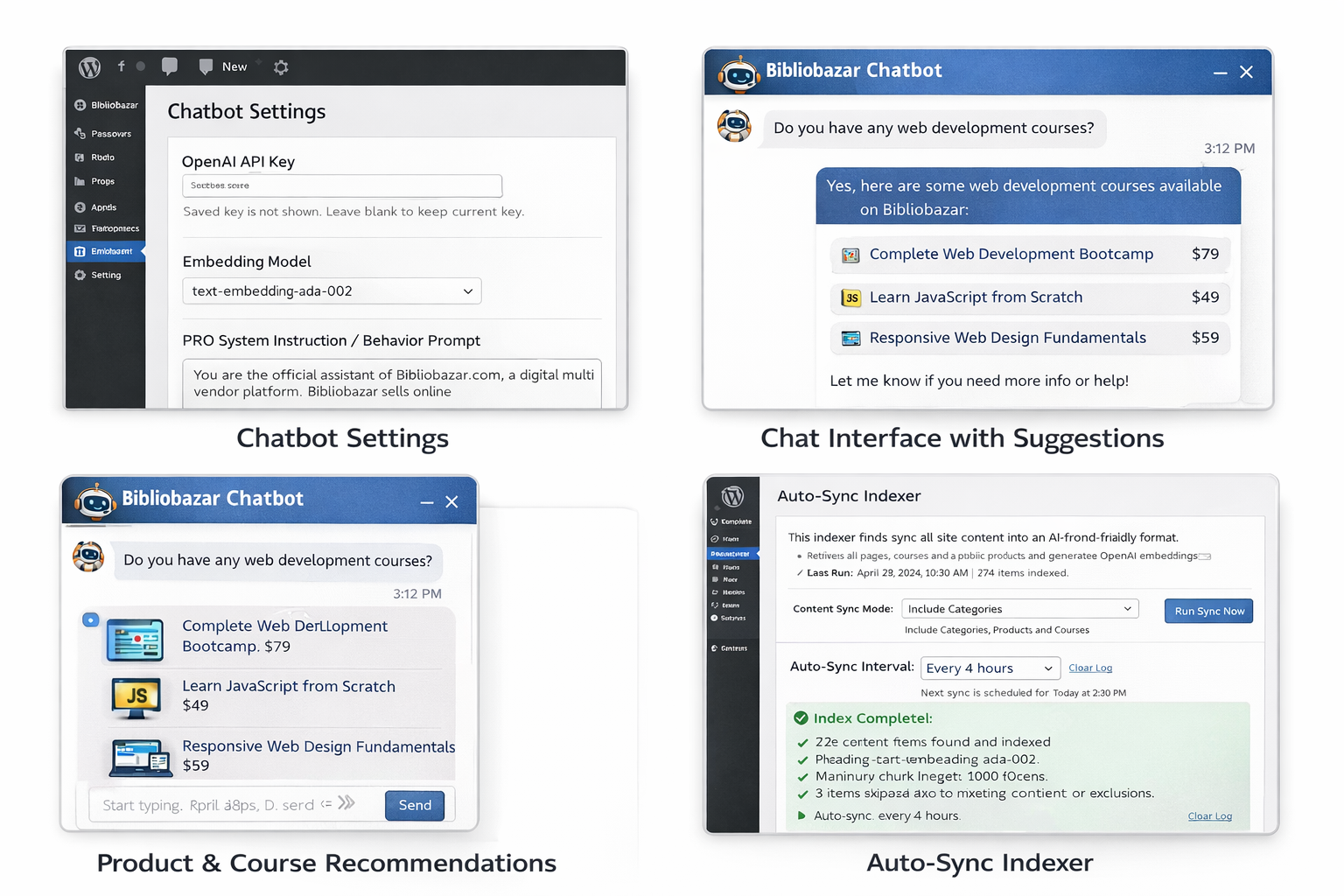
Screenshot 1: Chatbot Settings (Admin Panel)
This screenshot shows the WordPress admin settings page where the site owner configures the chatbot.
Key controls shown include:
- OpenAI API Key field (secure): the saved key is hidden; admins can leave it blank to keep the existing key.
- Embedding Model / Chat Model options: controls which AI models are used for responses and site-awareness indexing.
- PRO System Instruction / Behavior Prompt: a dedicated textbox for the admin to set how the assistant behaves.
- Clean English UI text designed for quick setup and safe editing without resetting keys.
Purpose: gives administrators a single control center to manage keys, behavior rules, and chatbot behavior without exposing sensitive data.
Screenshot 2: Chat Interface with Suggestions (Visitor View)
This screenshot displays the front-end chatbot window that visitors see. It demonstrates a real chat flow
where a customer asks about available courses, and the chatbot responds with a short, clear answer.
The interface is designed to feel modern and friendly, with readable English text and clear message bubbles.
Screenshot 3: Product & Course Recommendations
This screenshot highlights the recommendation experience. When a user asks about a course or product, the chatbot can
suggest matching items with clear titles and pricing, helping customers quickly decide what to buy.
- Relevant item suggestions based on the user’s query (course or product intent).
- Short, readable results designed for fast browsing.
- Link-ready recommendations (ideal for sending customers directly to product pages).
Screenshot 4: Auto-Sync Indexer (Content Sync)
This screenshot shows the Content Sync / Indexer area, where the admin runs a sync to make the chatbot “site-aware.”
The panel typically includes:
- Run Sync Now button to index pages, posts, products, and courses into a searchable AI-friendly format.
- Sync mode and interval controls to manage how often the site content is refreshed.
- Status output showing indexing progress and results (indexed count and any errors).
Purpose: ensures the chatbot can reference your site content accurately and guide visitors to the right pages.
Key Benefits (What Customers Get)
- Fast answers to customer questions about your platform offerings.
- Improved discovery of courses, digital products, and services.
- Better conversions by guiding users to the right product or course page.
- Admin-controlled behavior via a customizable instruction prompt.
- Clear English UI with clean text and user-friendly layout.
Recommended Use Cases
- Multi-vendor marketplaces selling Any Products or Services.
- Service marketplaces offering bookable services or consulting.
- Support teams needing quick, consistent replies and direct links to product/course pages.
Tip: Add a strict behavior prompt (in admin) to keep responses short, marketplace-only, and link customers to the correct product page whenever details are missing.




Reviews
There are no reviews yet.